
2.1Review
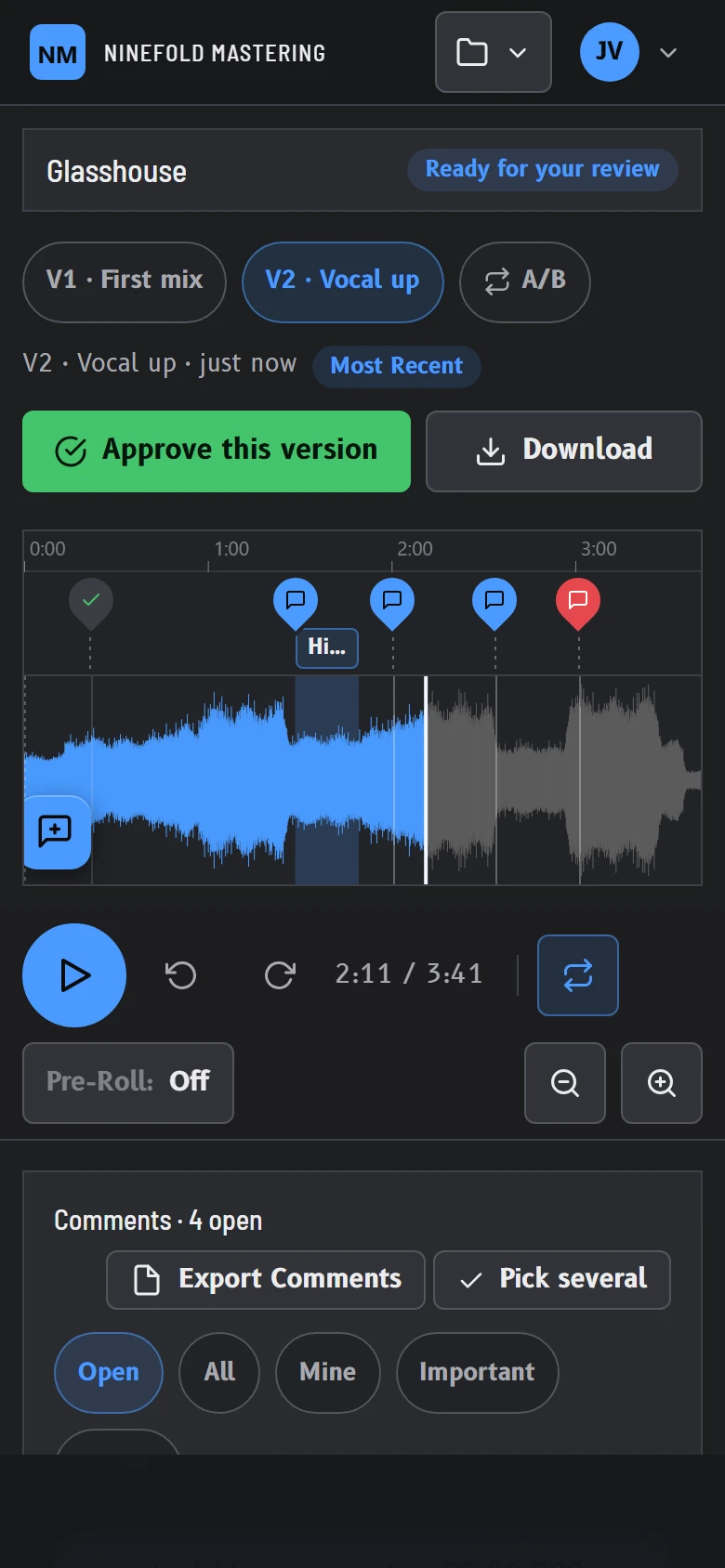
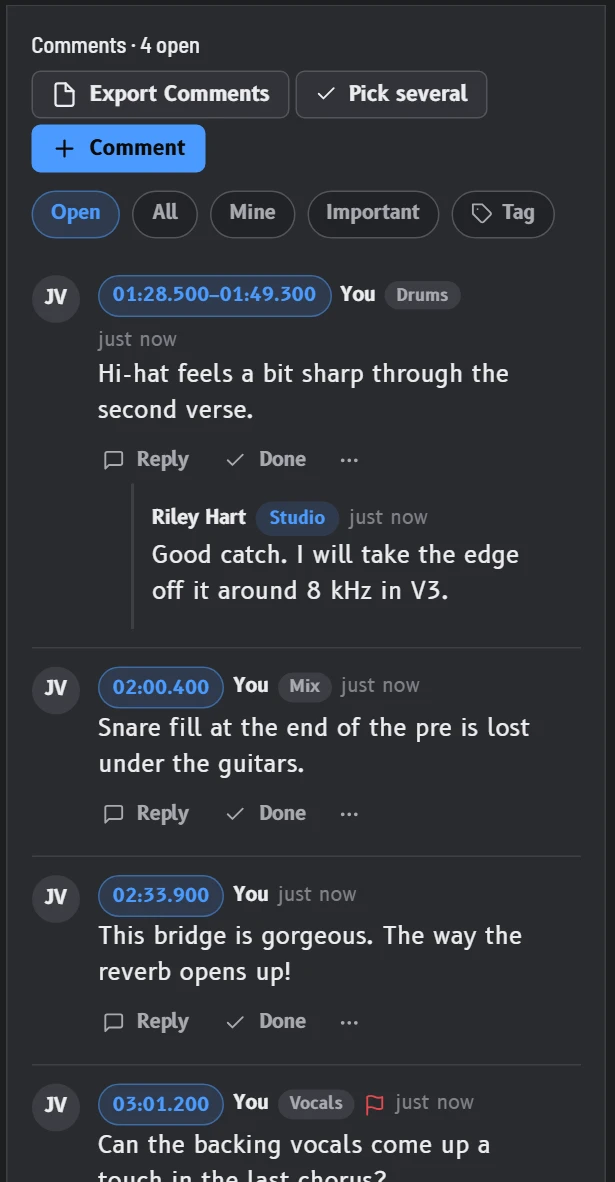
Notes land on the exact second.
Your client taps the waveform and types, on a phone or a laptop. You read each note where the problem is, reply under it and tick it off. Anything still open moves with the song to the next version.
For mixing and mastering engineers
Manage contracts, notes, revisions, payments and delivery without the fuss, all under your studio's name.
The 30-day trial includes everything. Cancel any time in one click.
Fig. 1, your client's screenGlasshouse, mix V2
01Why switch
Every client works with you the same clear way, from the agreement to the final files.
Clients sign your agreement before the first upload. Your price and your revision rounds are on record for both of you.
Clients click the waveform and type. Every note arrives with its exact time, such as "02:00, snare fill lost under the guitars".
Each invoice carries your own payment page. The final files stay locked until you are paid, and the money goes straight to you.
Mix, notes, revisions, approval, payment, delivery. The approval names the exact version your client signed off, so nothing is left in doubt.
02The product
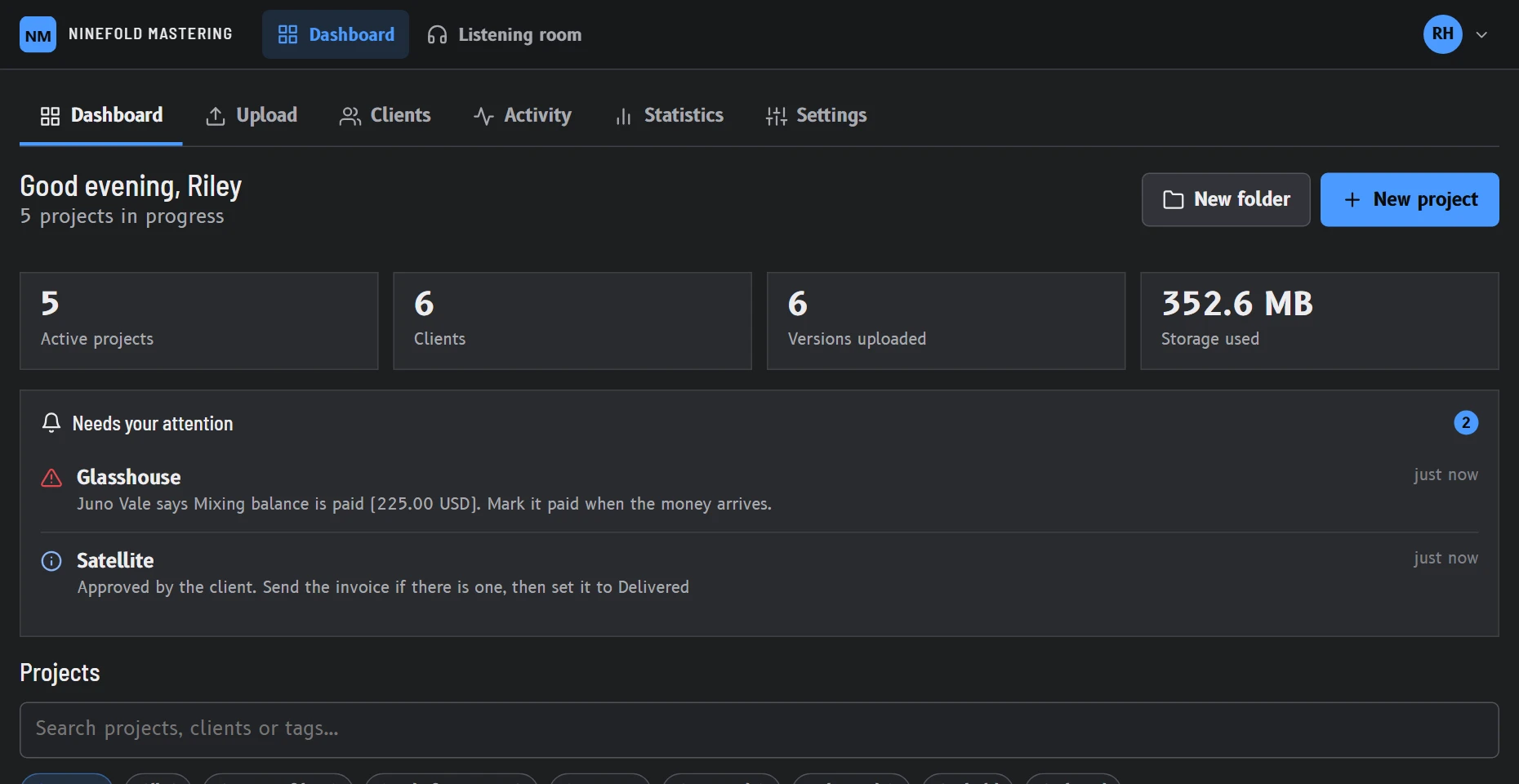
The pictures show the software running a sample studio with sample songs.
2.1Review
Your client taps the waveform and types, on a phone or a laptop. You read each note where the problem is, reply under it and tick it off. Anything still open moves with the song to the next version.
2.2Versions
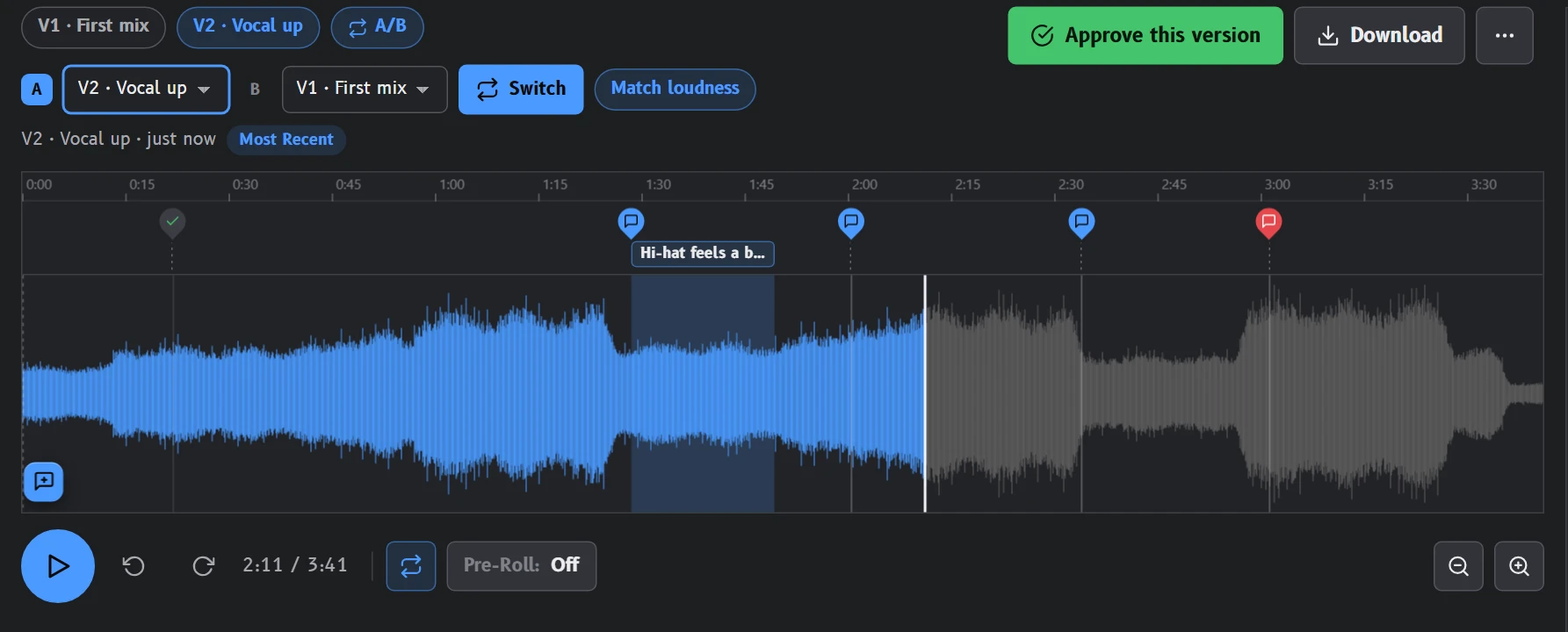
V2 goes up next to V1. Your client switches between them at the same moment in the song, at matched loudness, so the comparison is fair. When they are happy, they approve that version.
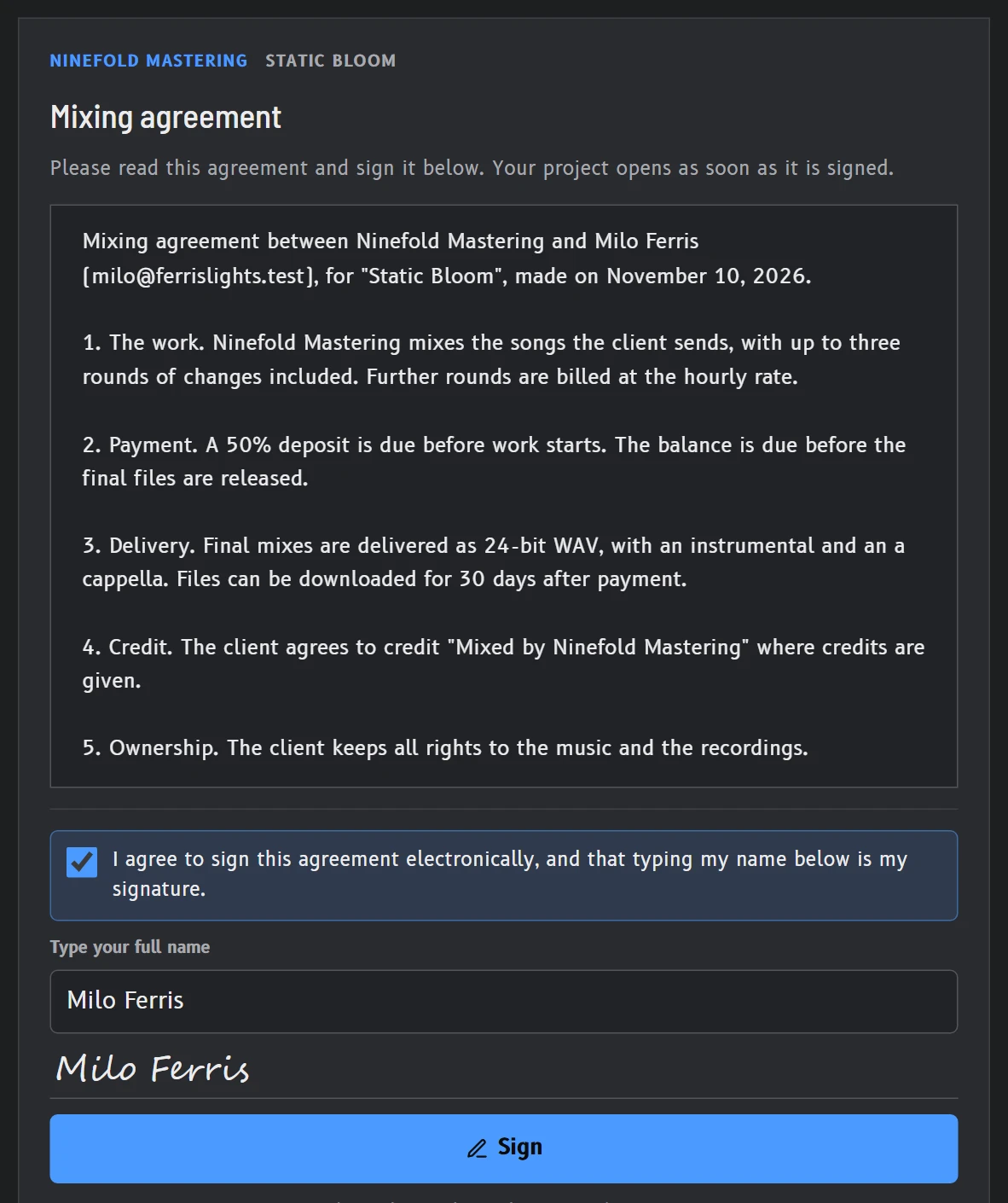
2.3Contracts
Write your agreement once, or use your own PDF. Clients sign it before the first upload, and both of you receive the signed copy by email.
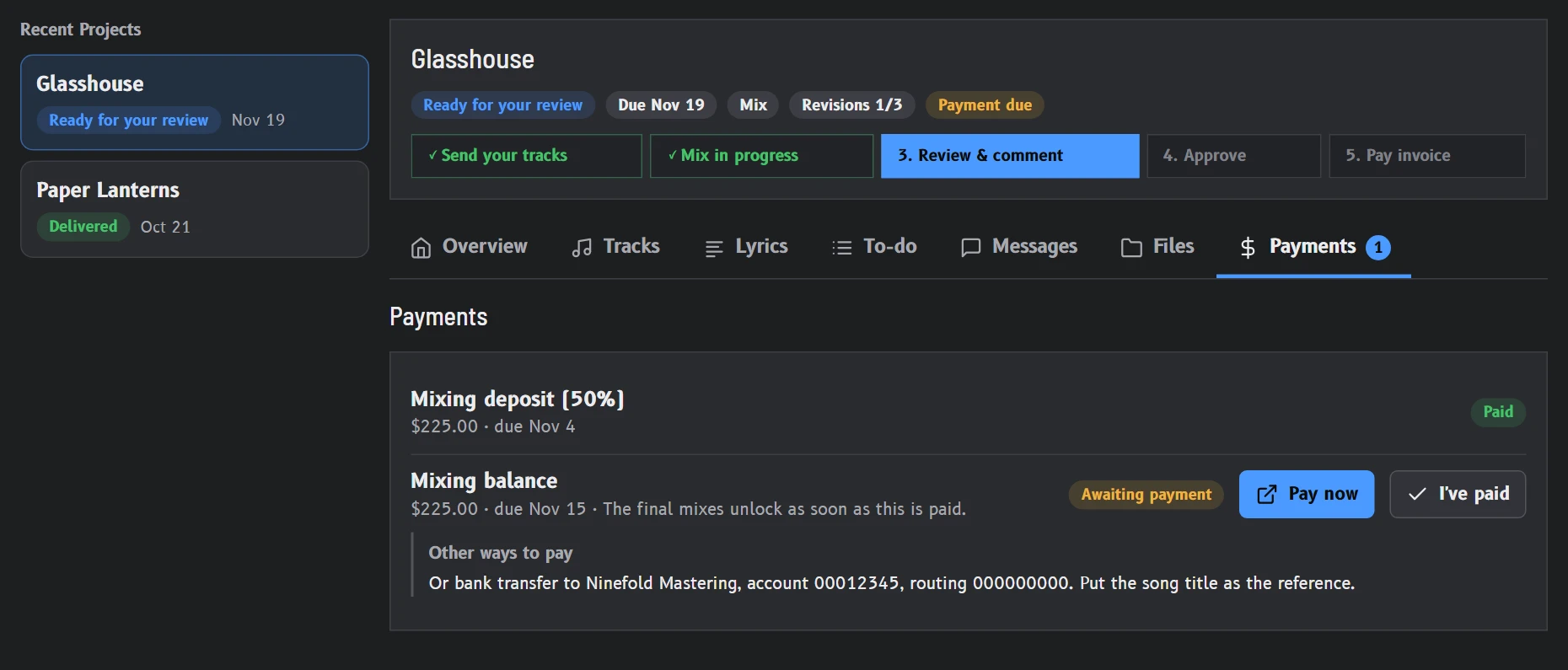
2.4Getting paid
Invoices sit inside the project, and "Pay now" opens your own Stripe, PayPal, Square or Venmo page. The money goes straight to you, and we take nothing from it. Deposits and payment plans are ready when a job needs them.
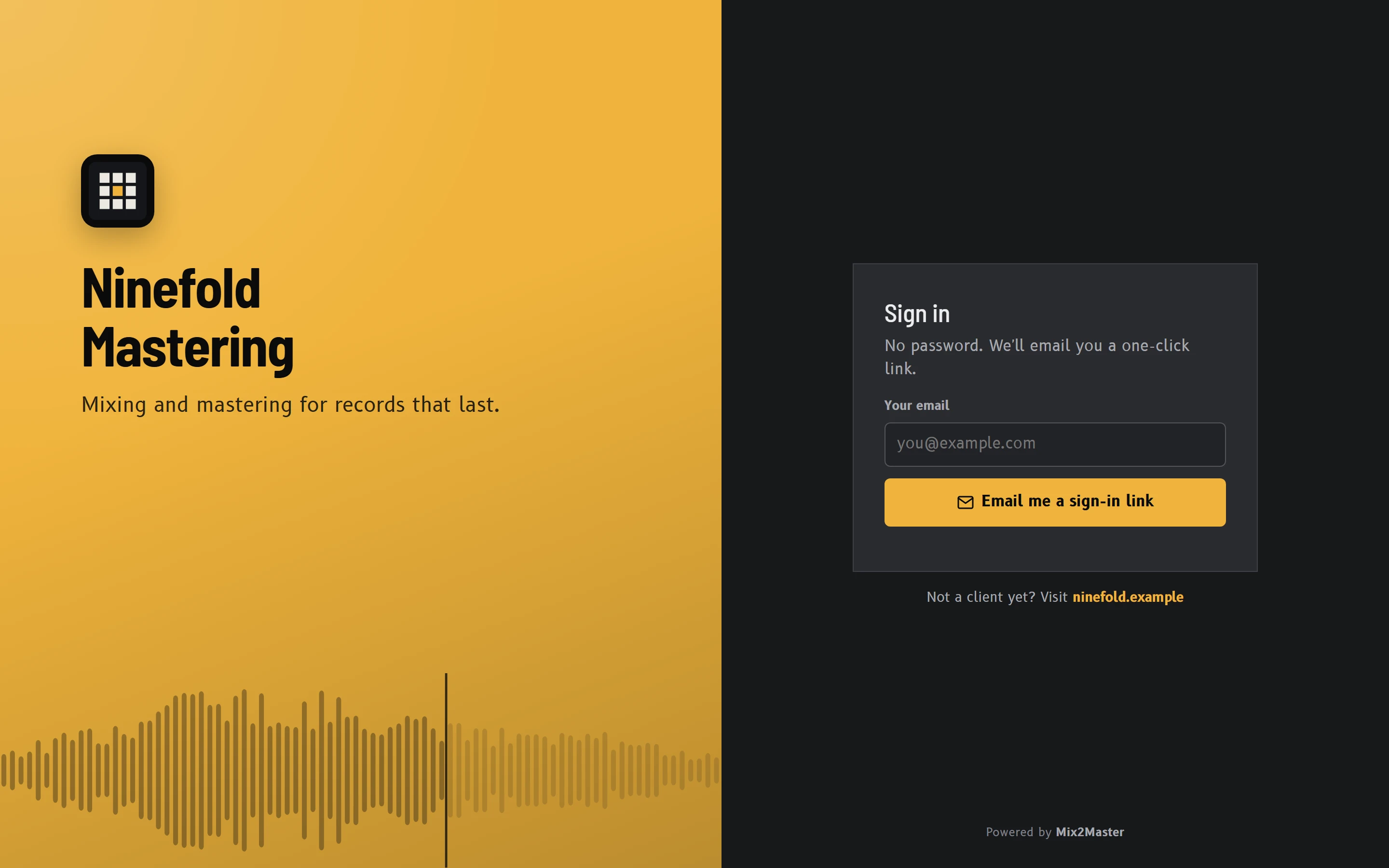
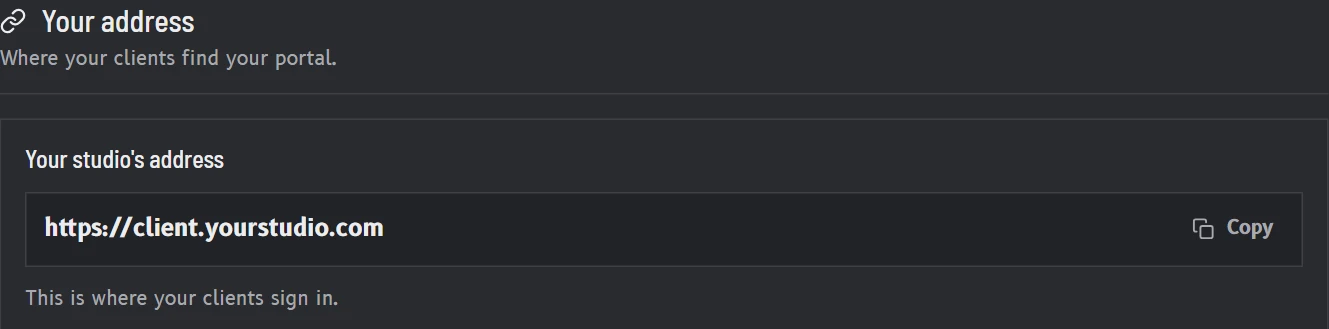
Sign-in page and addressYour logo and your colour
2.5Your brand
Your sign-in page carries your studio's name, and clients never need a password. Every studio gets its own web address.
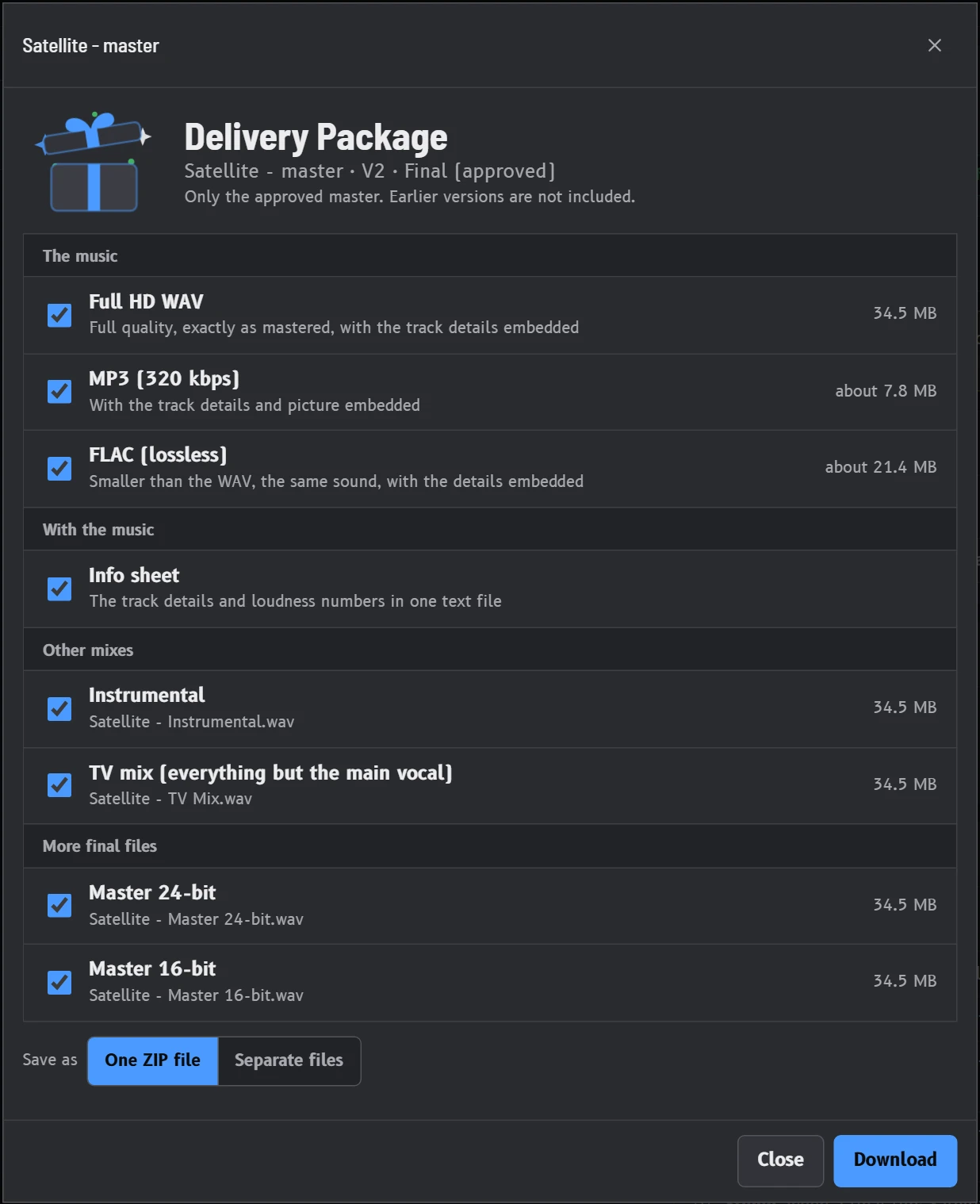
2.6Delivery
Masters stay locked until the invoice is paid, then open for download by themselves. Your client finds everything in one place: the masters, the instrumentals, the TV mix and anything else you add.
03How a job runs
The steps follow the order your sessions already run in.
This happens before the first file goes up.
It plays on any phone or computer.
Each one sits on the waveform at its exact time.
It sits next to V1, matched in level.
The approval goes on record with the version.
Your client pays through your own page, and the finals become theirs.
04Features
Each part is on every plan unless the table below says otherwise.
05Pricing
Every studio starts with a 30-day free trial that includes everything. You choose your plan and add a card at the start. The card is charged only when the trial ends, and we email you 7 days before.
You can change or cancel your plan at any time.
Loading the plans…
Prices are in US dollars. Compare every feature
06Compare
Every plan sits in one table. You can switch plans whenever you like.
Loading the plans…
Prices are in US dollars. Clients and guests are free and unlimited on every plan.
07Questions
No. They open the email you send them and they are in, on any phone or computer. There is no app to install and no password to remember.
No. Clients are free and unlimited on every plan, and so are guests.
No. Clients pay you through your own Stripe, PayPal, Square or Venmo page, so the money goes straight to you. You pay us a flat plan price and nothing more.
Each plan is described in the table above.
Every plan has the whole review process, and your clients never pay anything on any plan. You can move up or down at any time.
When the 30 days are up, the plan you chose starts and your card is charged for it. We email you 7 days before. Cancel before then and nothing is ever charged: your studio becomes read-only when the trial ends, and you and your clients can still sign in, listen and download.
Everything stays for $OVER_DAYS days, and we email you $NOTICES. If no plan is chosen by then, the audio of your projects is removed, finished projects first. Notes, approvals, contracts, invoices and messages are always kept, so they are all still there when you choose a plan.
When the 30 days are up, the plan you chose starts and your card is charged for it. We email you 7 days before. Cancel before then and nothing is ever charged.
A cancelled trial carries on with $FREE, with $FREE_ROOM. Everything you made stays.
If your studio holds more than $FREE allows, new uploads wait. You then have $OVER_DAYS days to choose a plan or make room, and we email you $NOTICES. After that, the audio of your oldest finished projects is removed until the studio fits. Active projects, notes, approvals, contracts, invoices and messages are always kept.
Yes, at any time, in one click under Plan and billing. Cancel during the trial and nothing is ever charged. A paid plan runs to the end of the period you paid for, and then your studio becomes read-only. Nothing is deleted at that point.
Everything stays for $OVER_DAYS days after that. If no plan is chosen by then, the audio of your projects is removed, finished projects first; notes, approvals, contracts, invoices and messages are always kept. Moving to a smaller plan works the same way: if your studio holds more than the new plan allows, you have $OVER_DAYS days to make room before the oldest finished audio is removed.
Yes, at any time, in one click under Plan and billing. Cancel during the trial and nothing is ever charged. A paid plan runs to the end of the period you paid for, and then your studio carries on with $FREE. Nothing is deleted at that point.
If your studio holds more than $FREE allows, new uploads wait, and you have $OVER_DAYS days to choose a plan or make room before the audio of your oldest finished projects is removed. Moving to a smaller plan works the same way. Notes, approvals, contracts, invoices and messages are always kept.
You do. You can download your projects, notes, invoices and client list whenever you like, and every audio file downloads from its project.
Yes. Each studio is kept apart from every other, and each client sees only their own projects. We do not sell data and we do not show ads.
Only the people you choose. Every client signs in with their own link. A guest link you share plays previews only, can have a password, and always expires. You can switch any link off at any time.
In general, yes. Electronic signatures are valid for this kind of agreement in the US, the UK and the EU, and each signature is kept with a record of who signed and when. This is general information and is no substitute for legal advice.
Most clients are not. Anyone who can open an email and press play can leave a note, and a short guide shows them how the first time.
Setting up takes a few minutes. Your first client could be listening tonight.
The 30-day trial includes everything. Cancel any time in one click.